How to Install and Inject a Rob Run Cheat on Windows
Your first Rob Run cheat install eats roughly ten minutes; every later launch is closer to sixty seconds. Most failed setups come down to one skipped Windows setting, so do the prep once and do it properly.
This walkthrough covers our Rob Run hack, sold as Elysium RR. The order of steps matters, especially the part about getting into the game world before you inject.
What You Need Before Starting
| Requirement | Detail |
|---|---|
| Operating system | Windows 10 or Windows 11, any version including 26H2 |
| CPU | Intel or AMD |
| Game copy | Rob Run on Steam |
| Display mode | Borderless or Windowed, not exclusive fullscreen |
| Key and loader | Both under MY ACCOUNT on playwithcheats.com |
The key is emailed to you the moment your PlayWithCheats order completes, and a copy stays in MY ACCOUNT. That same page holds the loader and a written tutorial. Take the loader from there and from nowhere else.
Prepare Windows
Three settings cause nearly every "loader won't start" ticket. Fix them before your first run.
- Pause antivirus real-time protection while you use the cheat. Windows Defender likes to quarantine loaders, sometimes silently.
- Turn off Memory Integrity. You will find the switch by opening Windows Security, then Device security, then the Core isolation details. Flip it off, then reboot, because the change does nothing until Windows comes back up.
- Uninstall the Riot kernel driver that Valorant or League of Legends leaves behind. While it sits on the system, our loader's driver cannot start.
The download also includes Elysium-Checker.exe. Launch that one with admin rights first: it scans for every known blocker on your PC and names each one. Fix the list it prints, then carry on.
Run the Loader and Inject
Follow this sequence every session.
- Close Rob Run completely. Check the tray and Task Manager if you are unsure.
- Start the loader with admin rights (right-click, Run as administrator) and paste your key into the prompt.
- Let the loader finish its setup. It will tell you when it is ready. Leave the window open.
- Launch Rob Run through Steam. Do not use a desktop shortcut that bypasses Steam.
- Load fully into the world. You want your character standing on the map, not the main menu, not the lobby, not a loading screen.
- Click into the game window, then press F7 or F8. That injects the overlay.
- Tap Home whenever you want the menu shown or tucked away.
If you inject from the menu screen, the overlay often has nothing to read and you will see empty boxes or nothing at all. Spawn first, then inject.
First Settings Worth Changing
Once the menu is up, a few tweaks make the first session less noisy.
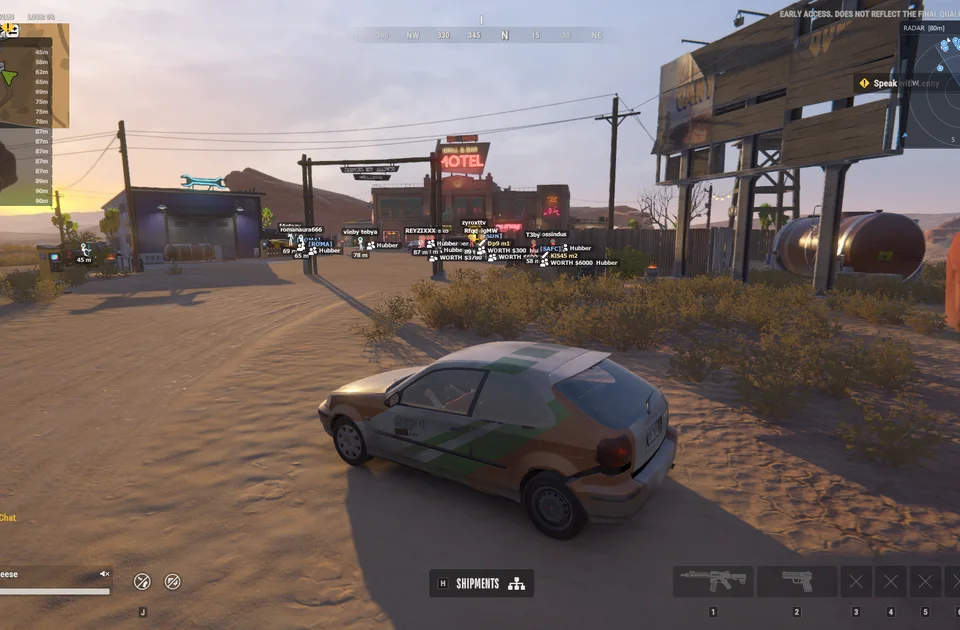
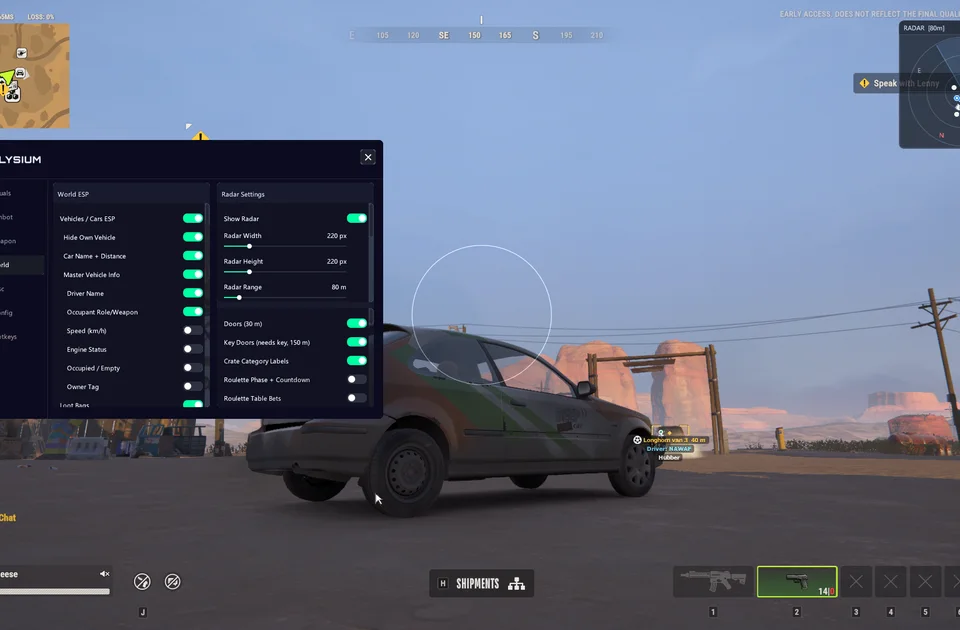
- Turn on basic player ESP with name, role and distance. Add skeleton later if the screen feels empty.
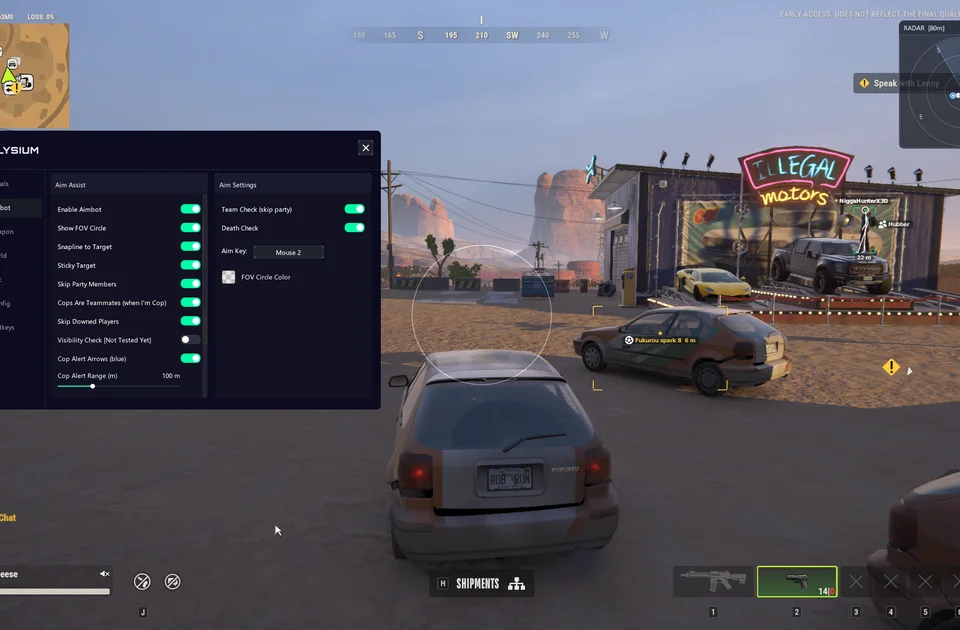
- Set a sensible aimbot FOV circle and leave Prediction off. Rob Run guns hit instantly, so leading targets aims in front of them.
- Switch on loot rarity colours and set a minimum rarity so grey junk does not cover the street.
- Streamers and clippers should tick StreamProof, which keeps OBS and Discord from picking up the overlay.
Settings save to settings.ini next to the program. Use the Config tab to save and load layouts, and the Hotkeys tab to rebind anything. For deeper tuning, see the wallhack layout notes and the aim settings walkthrough.
Unload Cleanly With F9
Hit F9 first, then quit Rob Run or the loader. Make it muscle memory.
F9 restores your FOV and camera, saves your config and detaches the overlay. Shut the game while the overlay is still attached and Windows may blue-screen on you. That single key spares you the reboot.
To play again, repeat the inject steps: loader as admin, game through Steam, spawn, F7 or F8.
After a Rob Run Patch
Rob Run updates often. When it does:
- Check the Working badge on our site, or the status on PlayWithCheats, before you load in. Discord works too.
- When a newer loader has been posted, bin your old copy and pull the fresh one from MY ACCOUNT on playwithcheats.com.
- Stale loader copies cause most "invalid key" and "loader closes instantly" reports after a patch.
Our cheat locates game objects by name at startup, so small patches often need no new build. Big ones can.
Common Errors and Fixes
| What you see | Likely cause | Fix |
|---|---|---|
| Loader closes right away | Antivirus removed a file, or old loader copy | Pause real-time protection, redownload from MY ACCOUNT |
| "Invalid key" | Typo, expired key or stale loader | Copy the key again from MY ACCOUNT or the order email, update the loader |
| Driver fails to load | Memory Integrity on or Riot's anti-cheat installed | Turn Memory Integrity off and restart, uninstall the Riot driver |
| No overlay after F7/F8 | Injected from lobby or exclusive fullscreen | Spawn into the world, switch to Borderless or Windowed |
| Menu opens but ESP empty | Game still loading the map | Wait until you can walk around, then reopen with Home |
| Overlay missing in OBS | StreamProof is on | That is intended; it hides the overlay from capture |
| Blue screen on exit | Game closed while cheat loaded | Always press F9 first |
Still stuck? Open a ticket in our Discord. Bring RobRun_external_log.txt from the cheat's folder plus your exact Windows build. With both in the first message, staff can usually spot the problem straight away.
Account worries come before setup for some players; the risk page and our HWID ban notes are worth reading early.
Questions
How do I inject a Rob Run cheat?
Open the loader with admin rights and enter your key, then boot Rob Run from Steam. Once your character is on the map, focus the game window and tap F7 or F8.
Why do I need to turn off Memory Integrity?
It blocks the driver the loader uses to read game memory. Switch it off under Core isolation and restart Windows before the first run.
Which key opens the cheat menu in Rob Run?
Home opens and hides the menu once the overlay is injected.
Do I have to press F9 before quitting?
Yes. F9 unloads the cheat cleanly and saves your config; closing the game with it loaded can cause a blue screen.
Where do I download the Rob Run cheat loader?
Only from MY ACCOUNT on playwithcheats.com once your order is done. Any other copy may be outdated or tampered with.